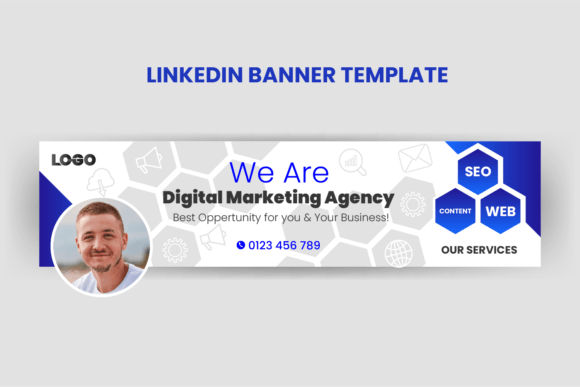
Digital Marketing Agency LinkedIn Banner: Make Your First Impression Count
Your LinkedIn profile is often the first place a prospective client, partner, or hire checks when they hear about your agency. The banner sits at the very top—occupying prime visual real estate—yet it is frequently an afterthought. A carefully designed Digital Marketing Agency LinkedIn Banner does more than decorate your page. It signals competence, sharpens your brand recall, and can even filter the type of conversations you attract. When you treat the banner as a silent pitch, you stop competing on noise and start communicating authority the moment someone lands on your profile.
Many people still rely on a cropped stock photo of a laptop and coffee cup, or they stretch their logo so it barely fits the 1584 x 396 pixel frame. The result is either forgettable or outright sloppy. Understanding why that happens—and how a Professional LinkedIn Banner Template solves the issue—saves you from blending into a sea of sameness. It also protects you from the hidden cost of a missed connection: a qualified lead who scrolls past because nothing visually confirms you are the expert they were hoping to find.
What a Digital Marketing Agency LinkedIn Banner Actually Does
Think of the banner as the headline of your visual story. It works with your photo and headline to answer three silent questions visitors bring: Do you understand modern marketing? Can I trust you with my brand? Is this worth my time? When you use a generic, unedited template or a low-resolution image, the unspoken answer is often “no.”
A purposeful Digital Marketing Agency LinkedIn Banner guides the eye, uses your agency’s color palette, and places a concise value proposition directly in the viewer’s field of vision. It might display a short tagline like “We Scale DTC Brands With Paid Social” or “B2B Lead Generation That Actually Converts.” That single line of text, set against a clean background, can do more heavy lifting than a hundred connections. But if the text is squished by a poorly cropped mobile view or buried in clutter, the opportunity is wasted.
The Overlooked Details That Hurt Your Visual Credibility
Most people understand that a professional look matters, yet I regularly see the same avoidable mistakes on agency pages. These oversights often come from good intentions—trying to say too much, using the wrong file type, or forgetting that platforms crop banners differently on desktop and mobile. Once you recognize them, they are simple to fix.
One frequent error is using a Professional LinkedIn Banner Template without adjusting the editable text and graphics to match your brand. A template is a starting point, not a finished product. Leaving default placeholder copy like “Your Slogan Here” or keeping a color scheme that clashes with your logo sends an unintentional message of disorganization. Another mistake is uploading a JPEG that has been compressed so many times the edges look fuzzy. On a high-resolution screen, that fuzziness reads as amateur, not approachable.
There is also the mobile crop trap. LinkedIn displays the profile picture and your name over the bottom-left corner of the banner on mobile. Many banners place critical text exactly where the avatar will cover it. A visitor on a phone sees only a strange sliver of a graphic and half a word. If your design file is not structured with safe zones in mind, you are effectively invisible to a huge portion of your audience.
Editable EPS CC: Why the Source File Matters for Non-Designers and Professionals Alike
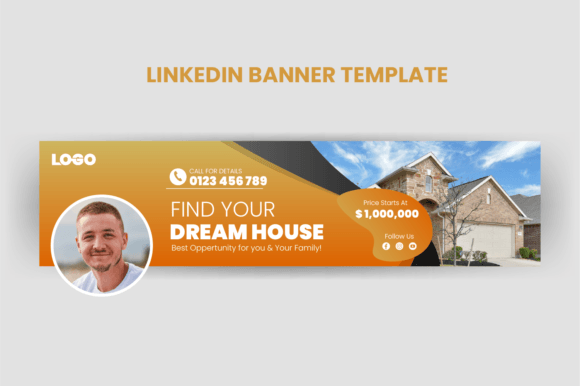
The format of your banner file has a direct impact on how easily you can make it genuinely yours. When I share a Digital Marketing Agency LinkedIn Banner template, I typically provide it as an Illustrator EPS CC file. Some people wonder why that matters when they can grab a free PNG online. If you have ever tried to change a color in a flat image or remove a background element from a JPEG, you know the frustration: pixelation, jagged edges, and wasted time.
An EPS file with editable texts and graphics elements lets you swap the hero copy, adjust the color palette to match your agency’s hex codes, and resize elements without quality loss. You can tweak the template for different team members, add a subtle pattern from your website, or export a perfectly sharp PNG for upload—all without compromising resolution. Even if you do not have Illustrator, many programs like Affinity Designer, CorelDRAW, or even Inkscape can open and edit EPS files. The real value is flexibility. You are not locked into someone else’s vision. You get a design framework that bends to your brand, not the other way around.
Choosing a template that comes in this format also future-proofs your banner. Six months from now, when you refine your positioning or change your brand font, you do not need to start over. You open the original file, make the update, and export. That beats hiring a designer again or settling for an outdated visual that confuses returning visitors.
Aligning Your Banner With Your Agency’s Story—Without Overloading It
A common piece of bad advice is that you need to cram your banner with bullet points about your services. Email marketing, SEO, PPC, social media management—listing them all turns your banner into a checklist no one reads. It also competes with your actual profile content. Instead, choose one sharp message that reflects the core problem you solve. For a performance marketing agency, that could be “We Turn Ad Spend Into Measurable Revenue.” For a creative branding studio, “Brands People Remember Start Here.”
Use the rest of the space to reinforce brand atmosphere. This includes using your logo discretely, repeating a brand pattern, or placing a subtle professional photo of your team or workspace. Even a simple gradient overlaid with the agency name in large, clean typography works. The banner is not a brochure; it is a trust signal. That trust erodes if a visitor feels they are being shouted at by twelve different fonts and a neon color palette that has nothing to do with your website.
Realistic Examples of Better Decisions
Imagine a small SEO consultancy that downloads a free abstract blue banner and slaps it on their profile. It looks pleasant, but it could belong to any industry. Now picture the same consultancy using an editable Digital Marketing Agency LinkedIn Banner where the blue is tweaked to match their logo’s navy, and the graphic includes a subtle magnifying glass over a search bar motif with the words “Rank First. Convert Better.” The second profile immediately communicates specialization—before a single connection request is sent.
Another example: a freelancer who offers social media management often uses a personal photo as a banner, cutting off awkwardly. Instead, she applies a template with a split layout—left side a professional headshot that dovetails into a subtle geometric pattern, right side her name and “Instagram & TikTok Strategist” in a clear sans-serif font. She exports the EPS as a high-resolution PNG, checks the mobile preview, and ensures the text sits in the safe center area. The profile now looks cohesive and intentional.
Even a veteran agency can fall into the trap of noise. One agency I know had a banner featuring 18 logos of partner platforms. In the desktop view it was cluttered; on mobile, the logos disappeared into the avatar overlay. They switched to a simplified banner with the agency name, a short tagline, and a neatly placed QR code pattern that echoed their tech focus. Client inquiries through LinkedIn increased, not because the service changed, but because the profile ignited curiosity instead of confusion.
What to Check Before You Upload and Use Any Template
Before you declare your banner finished, do a quick honest audit. Open your profile on both a desktop browser and your phone. Check where your profile picture falls; that area is permanently blocked in the bottom-left. Make sure no essential text or logo element is hidden there. Scan the overall impression in under two seconds—does the message hit quickly? If you cannot grasp it in a blink, your visitors won’t either.
Verify the visual consistency between your banner and your website. A disjointed color story—say, a bright orange banner when your site is emerald green—creates a subtle disconnect that diminishes brand recall. Also confirm that the typography you used in the EPS file is either embedded or outlined before export. Missing fonts can default to a generic system font and ruin your careful spacing.
Finally, test the banner in the context of your complete profile. Scroll down a little so the headline and summary appear. Does the banner complement the information below or fight with it? A great banner frames the content that follows; it does not try to replace it. If you followed an editable template, save a layered backup of your customized EPS file. That way, you can quickly adapt the design for seasonal campaigns, job anniversaries, or updated service offerings without redoing everything.
Moving Beyond the Generic Default
LinkedIn profiles are no longer static online résumés. They are dynamic landing pages that people land on from Google searches, email signatures, and referral links. Your agency’s banner is the welcome mat. When you invest a little thought into a Professional LinkedIn Banner Template that is properly customized, you are not just avoiding pixelated embarrassment—you are actively shaping the story prospects tell themselves about you before you ever speak.
Start by defining the single most important outcome your agency delivers. Distill it into five words or fewer. Choose a template that gives you clean editable text and graphic elements in a format you can actually update, like EPS CC. Respect the safe zones, keep the design breathable, and test on real devices. Small corrections here pay off repeatedly because your profile keeps working for you in the background, around the clock, across the globe. A polished, purposeful banner is not a vanity item—it is one of the most efficient branding moves an agency can make.