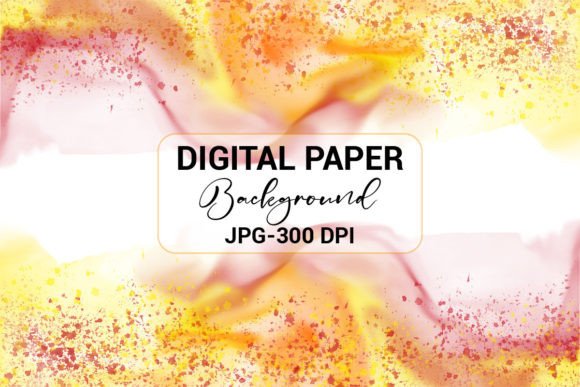
Abstract Watercolor Splash Background Applications
An abstract watercolor splash background might look like a simple digital painting at first, but the fluid washes of color hold surprising potential. When you download this design file — delivered as a 300 DPI JPEG within a ready-to-use ZIP folder — you gain a versatile creative asset that adapts to an enormous range of projects. Whether you're designing a book cover, refreshing your social media presence, preparing presentation slides, or creating custom stickers and mobile cases, a single high-quality file can become the foundation of dozens of visuals. In this article, we'll explore practical ways to integrate such a background into your work and share techniques to make every application feel personal, polished, and professional.
Why Abstract Watercolor Splash Backgrounds Stand Out
Unlike rigid geometric patterns or photo-realistic imagery, watercolor splashes bring an organic, handcrafted quality to any layout. The subtle gradients, translucent layers, and irregular edges create a sense of movement without overwhelming the viewer. This softness makes the background ideal for industries that rely on warmth and emotion — think wellness coaching, poetry, boutique branding, or heartfelt event announcements. Yet the same abstract nature also works for modern tech campaigns when paired with crisp typography. The key is that a watercolor splash never imposes a single mood; it adapts, providing texture that can be dialed up or softened depending on your design choices.
Transforming Book Covers with a Splash of Art
For authors, publishers, and KDP creators, a compelling cover is the first point of connection with a reader. Here the 300 DPI resolution ensures that even a large paperback or hardcover wrap prints sharply. Load the JPEG into Canva, Adobe InDesign, or PowerPoint, and place it as a full-bleed background. Experiment with overlays: a semi-transparent white or dark rectangle placed behind the title preserves readability while letting the watercolor bleed through at the edges. Romance novelists might choose a blush-toned splash, while memoir writers could lean on muted blues and greens. Because the artwork is abstract, it doesn't compete with the typography — it elevates it. Additionally, for e-book publishing platforms that require JPEG or flattened cover files, the file arrives ready to use without any conversion hassle. Simply unzip, import, and start crafting.
Digital Branding: Web Backgrounds and Social Media Visuals
When used thoughtfully, a watercolor splash background can inject personality into a website header, banner, or landing section without slowing down the page with heavy design files. Web-safe JPEG formats compress cleanly, and the 300 DPI original allows you to resize for retina displays. For social media managers, the background is a canvas for Instagram posts, Stories, Reels covers, Pinterest pins, and Facebook covers. Scale it to 1080x1080 pixels for a square post, then drop your call-to-action text on top — the fluid backdrop adds energy without clutter. To maintain brand consistency, use your signature color palette alongside the splash. Canva users can quickly upload the JPEG, apply the brand's color overlay, and lock it as a background; then add logos and text. The abstract design works well for quote graphics, product announcements, and behind-the-scenes posts where you want a handcrafted, inviting look. Remember to check that text has sufficient contrast: a subtle drop shadow or slight opacity on the splash behind the text can make a world of difference.
From Digital to Physical: Stickers, Mobile Covers, and More
Creative hobbyists and product sellers often overlook the potential of digital art on physical goods, but a 300 DPI watercolor splash is perfect for print-on-demand items. For stickers, import the JPEG into a cutting machine's software or use services that accept image uploads. Crop a portion of the splash into a circle or heart shape, add a witty phrase, and you have a unique sticker design that resembles hand-painted art. The high resolution ensures that even small details stay crisp. Mobile covers take this a step further: upload the full splash to a case manufacturer, adjust the bleed area, and you’ve created a one-of-a-kind accessory that catches the eye. Greeting cards, art prints, tote bags, and journal covers benefit from the same approach. Because the file is a standard JPEG, it integrates with any print service that accepts image uploads. For best results, always download the ZIP first, then use the original file — avoid re-saving the same JPEG repeatedly to preserve quality.
Elevating Presentations and Educational Materials
Slide decks often suffer from either lifeless corporate templates or visually chaotic homemade backgrounds. An abstract watercolor splash offers a sophisticated middle ground. Copy the JPEG into PowerPoint or Google Slides as a background image on the master slide, then adjust the transparency so the content stays readable. This technique works for webinars, pitch decks, and classroom lectures. For handouts and worksheets, the splash can sit behind a text-heavy layout, adding texture without turning printing costs into a nightmare — grayscale or light washes use minimal ink while still conveying a creative feel. Educators might even use portions of the splash to create custom labels, name tags, or bulletin board borders. The key is moderation: on a slide, let the splash occupy a corner or a strip, not the entire canvas, unless you're displaying a single headline. In Canva, layer a geometric frame over the watercolor area to contain bullet points cleanly. The combination of loose art and structured layout draws attention without causing distraction.
Customizing for Any Vision: Tips for Original Results
One downloadable file can yield dozens of unique looks — far beyond simply plopping the splash onto a canvas. Start by exploring color shifts. Most image editors allow you to adjust hue and saturation. Turn a pastel pink splash into a deep navy or a vibrant coral to match a seasonal campaign. Cropping yields fresh compositions: a tight crop of just the drip edge becomes an artistic border, while a zoomed-in detail can serve as a subtle branding watermark. Layer multiple copies of the same splash with different blending modes — multiply, screen, or overlay — to build depth. In Canva, use the background remover tool to extract part of the splash and place it around text for a floating color effect. For a professional finish, always maintain a visual hierarchy: the splash should support, not compete with, the core message. If you’re creating a series, set up a style guide that defines how the splash will be used across the set: same positioning, same opacity, similar color treatment. This consistency trains the audience’s eye and strengthens brand recognition.
Practical File Details: Why 300 DPI JPEG Matters
You might wonder why the file format specifics are worth highlighting, but they directly impact the quality of your final product. The 300 DPI standard ensures that when you stretch the background to a poster or shrink it to a business card, there are no jagged edges or pixelation. JPG is widely supported by every major design tool from Adobe Creative Cloud to free apps like Canva and Paint.net, and it compresses well for online use while retaining excellent visual fidelity. The included ZIP folder keeps the file protected from corruption during download and unzips to a single, ready-to-import JPEG. That means no complicated installation, no missing fonts, and no need for special software. Whether you’re a marketer preparing a quick social graphic in MS Word or a designer crafting a multi-layered book cover in Photoshop, the file drops right in. This simplicity lowers the barrier between idea and execution, giving you more time to experiment and less time wrestling with technical hiccups.
An abstract watercolor splash background is more than a pretty picture — it’s a flexible starting point that invites reinterpretation. From tactile merchandise to digital branding, the same soft washes of color can echo through every corner of a project or business. The next time you need a visual backdrop that feels both contemporary and timeless, open that ZIP and let the watercolor guide your imagination.